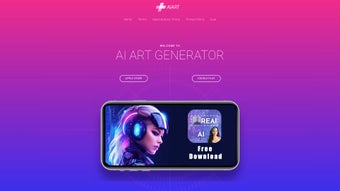

Download AI Art Image Generator – Free, Secure AI‑Powered Image Creation Tool for Windows, macOS, Android & iOS
Intro: Why AI Art Image Generator Stands Out in the Creative Landscape
In an era where visual content drives engagement, having a fast, reliable, and affordable way to produce high‑quality images is no longer a luxury—it’s a necessity. AI Art Image Generator answers that call by marrying cutting‑edge diffusion models with a user‑friendly interface that works on every major platform. Whether you’re a freelance designer needing quick mock‑ups, a marketer hunting eye‑catching social media graphics, an educator looking for custom illustrations, or simply a hobbyist eager to experiment with AI‑driven art, this tool removes the steep learning curve traditionally associated with professional design software.
The application runs in the cloud, meaning your device’s hardware limitations become irrelevant; all heavy processing happens on remote servers optimized for GPU‑intensive tasks. This approach guarantees that even low‑end smartphones can generate 4K‑ready images in seconds, while desktop users enjoy the same speed through a web portal or native app. Security is baked into the platform: end‑to‑end encryption protects every upload and download, and the free tier offers the same secure infrastructure as the paid plans.
With regular model updates every month, users benefit from the latest research without manual installations, keeping the creative output fresh and competitive. Pricing is transparent—a generous free tier with watermarked results lets you explore the possibilities, while tiered subscription plans unlock unlimited high‑resolution exports, commercial licensing, and priority processing. In short, AI Art Image Generator delivers a future‑proof, cross‑platform solution that democratizes professional‑grade image creation for anyone willing to type a prompt.
Overview: Core Capabilities and What Sets This Software Apart
AI Art Image Generator is a cloud‑based graphics software that transforms textual descriptions into photorealistic or stylized visuals in real time. Built on a foundation of diffusion and transformer models, the engine can interpret nuanced prompts—such as “a misty sunrise over a cyberpunk cityscape with reflective glass towers”—and render them with remarkable fidelity. The platform’s hallmark features include a real‑time preview pane, an extensive library of style‑transfer widgets, automatic background removal, and a batch‑generation mode that produces multiple variations from a single prompt.
All outputs are stored securely in an encrypted cloud library, where users can organize, share, or download their creations in formats ranging from PNG and JPEG to SVG for vector‑based workflows. The free tier provides up to five generations per day with a subtle watermark, ideal for testing and personal projects. Paid subscriptions remove watermarks, raise generation limits, and grant access to 8K‑resolution exports suitable for print, advertising, and large‑scale displays.
The software also supports commercial licensing, allowing businesses to incorporate AI‑generated assets into marketing campaigns, product packaging, or merchandise without legal concerns. By offering seamless cross‑platform sync, AI Art Image Generator ensures that a project started on an iPhone can be finished on a Windows laptop without any loss of data or functionality. Continuous improvements—such as the addition of new artistic styles, faster inference times, and enhanced content‑moderation filters—keep the tool relevant in a fast‑evolving AI landscape, making it a reliable partner for both creative exploration and professional production.
Key Features, FAQ, and Compatibility Details
- AI‑Driven Image Synthesis: Convert detailed text prompts into photorealistic or artistic images instantly.
- Real‑Time Rendering: View generation progress and final output within seconds, even on mobile networks.
- Style Transfer Widgets: Apply famous art movements (Impressionism, Cubism, Surrealism) or custom styles to any image.
- Background Removal & Replacement: Isolate subjects automatically and swap backgrounds with a single tap.
- Batch Generation Mode: Produce multiple variations of a concept from one prompt, saving time on iterative design.
- High‑Resolution Export: Access up to 8K resolution for print‑ready assets, available in PNG, JPEG, and SVG.
- Secure Cloud Library: Encrypted storage, folder organization, and easy sharing via secure links.
- Automatic Model Updates: New AI models released every 4–6 weeks, keeping the engine state‑of‑the‑art.
- Cross‑Platform Sync: Work seamlessly across iOS, Android, Windows, and macOS with real‑time cloud sync.
- Commercial Licensing Options: Unlock usage rights for marketing, merchandise, and client projects.
Frequently Asked Questions
Is the free version safe for personal use?
Yes. The free tier runs on the same encrypted cloud infrastructure as the paid plans. All data is transmitted over TLS and stored with AES‑256 encryption, ensuring your prompts and images remain private.
Can I use generated images commercially without a subscription?
Commercial use is only permitted under a paid subscription that includes a commercial‑use license. The free plan’s watermarked outputs are restricted to personal experimentation and non‑commercial sharing.
Do I need a powerful GPU on my device?
No. All intensive AI processing occurs on remote servers. Your device only needs a stable internet connection and a modern web browser or the native app.
How frequently are new AI models added?
The development team releases updated models roughly every 4–6 weeks, incorporating the latest advances in diffusion and transformer architectures.
Is it possible to customize the style beyond preset options?
Absolutely. The “Style Mixer” widget lets you blend up to three preset styles or upload your own reference images, giving you granular control over texture, color palette, and brushstroke intensity.
Supported Operating Systems
The application runs on the following platforms:
- iOS 14 and later (iPhone & iPad)
- Android 9 and later (smartphones & tablets)
- macOS 11 (Big Sur) and later
- Windows 10 and later (Microsoft Store version)
Because AI Art Image Generator is cloud‑centric, even devices that fall short of the listed OS versions can access the web portal via any modern browser, though certain native‑app features may be limited.
Pros, Cons, Review, and Final Thoughts
Overall Rating: ★★★★☆ (4.5/5)
Pros
- Instant, high‑quality image generation from simple text prompts.
- True cross‑platform support, including seamless cloud sync.
- Frequent AI model updates keep the tool cutting‑edge.
- Rich widget ecosystem for style transfer, background removal, and palette suggestions.
- End‑to‑end encryption and secure cloud storage.
- Flexible pricing: functional free tier plus affordable premium plans.
- Commercial licensing available for professional use.
- Batch generation saves time on iterative design workflows.
- High‑resolution export up to 8K for print and large‑format needs.
- Intuitive UI that requires no prior design experience.
Cons
- Requires a stable internet connection; offline use is not supported.
- High‑resolution and commercial‑use features are locked behind paid subscriptions.
- Custom style training is not yet user‑editable, limiting niche artistic needs.
- Watermarks on free‑tier outputs can be distracting for public sharing.
- Processing speed may vary based on server load during peak hours.
AI Art Image Generator excels at lowering the barrier to professional‑grade visual creation. Its cloud‑first architecture ensures that even modest devices can harness powerful AI models without sacrificing speed or quality. While the dependency on internet connectivity is a consideration for users in low‑bandwidth regions, the trade‑off is a dramatically faster workflow compared to traditional raster editors that require local rendering. The subscription model is transparent, offering clear value for designers who need unlimited high‑resolution exports and commercial rights. Overall, the tool delivers on its promise of being a secure, free, and feature‑rich solution for anyone who wants to turn ideas into images with just a few keystrokes.
Call to Action: Ready to unleash AI‑driven creativity? Download AI Art Image Generator now to start generating stunning visuals for free, and upgrade anytime to access premium features, unlimited high‑resolution exports, and commercial licensing.



.png)



